


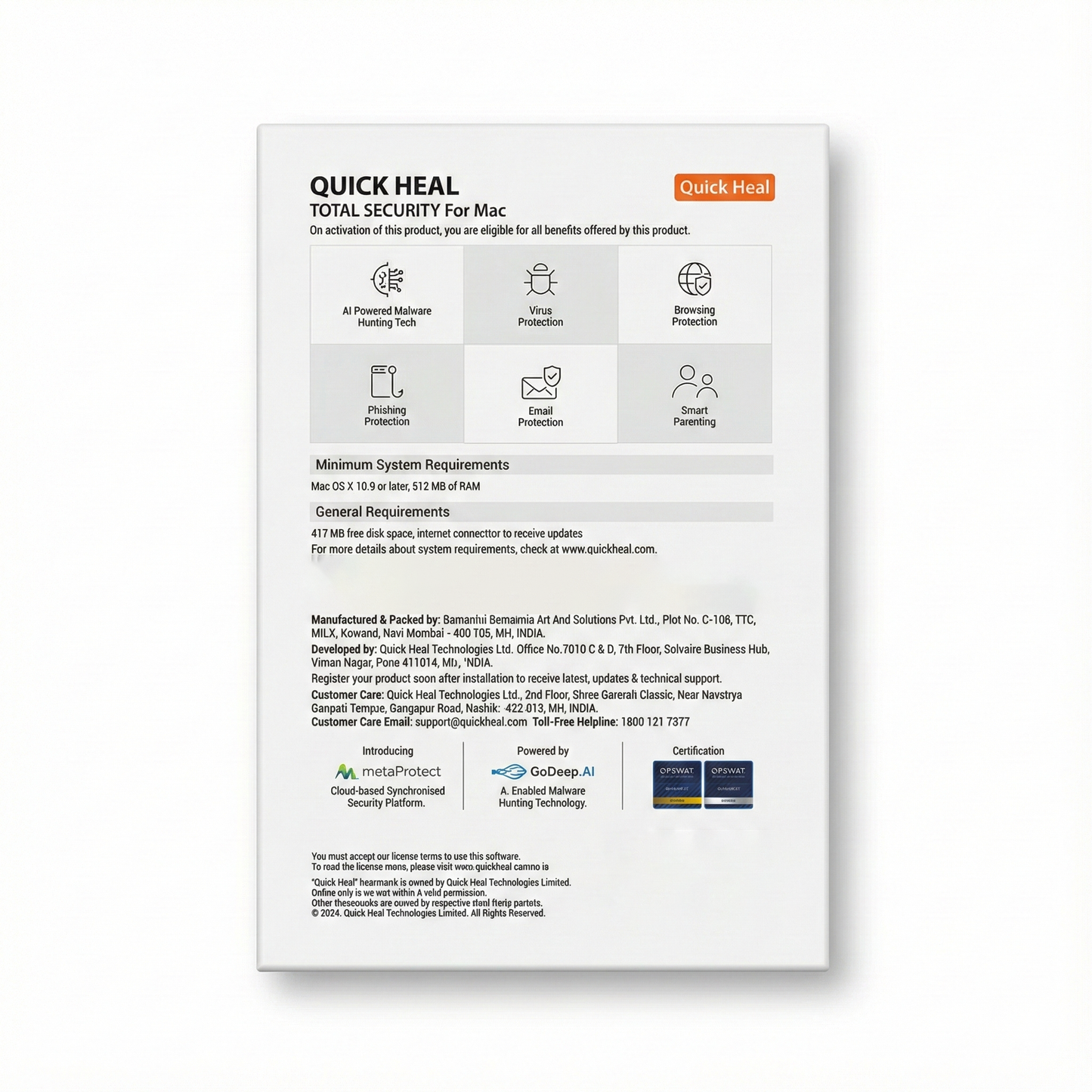
Simple, fast and seamless digital protection for Mac!
- 100% Genuine & Latest – We sell only new, original, and up-to-date products.
- Scan My Mac : Allows you to choose between a full system or a customized virus scan of certain files and folders.
- Web Security : Cloud-based Internet security restricts fake and phishing websites from stealing your personal or financial information.
- Antispam And Email Security : Antispam blocks unwanted emails from reaching your inbox. Real-time cloud-based email security blocks emails that might carry suspicious links.
- Anti-Malware And Spyware : Scans files and folders at lightning speed, detecting and cleaning spyware, adware, rogueware, dialers, riskware and other potential threats.
- Smart Parenting : Shape a safe digital future for your younger ones' by regulating and moderating the content, websites and applications browsed by them.
Powered by 
Q1: How can I register/activate Quick Heal antivirus?
You can register/activate Quick Heal antivirus online, offline, and through SMS as per your convenience.
Registering online
If you are connected to the Internet, you can register your product online.
1. Open Quick Heal antivirus.
2. On the Quick Heal Dashboard, click the Register Now button.
3.On the Registration Wizard, enter the 20-digit Product Key and click Next.
The Registration Information appears.
4.Enter relevant information in the Purchased From and Register for text boxes, and then click Next.
5.Provide your Name, Email Address, and Contact Number. Select your Country, State, and City.
If your State/Province and City are not available in the list, you can type your locations in the respective boxes.
6.Click Next to continue.
A confirmation screen appears with the details you entered.
If any modifications are needed, click Back to go to the previous screen and make the required changes.
7.Click Next to continue.
Your product is activated successfully. The expiry date of your license is displayed.
8.Click Finish to close the Registration Wizard.
After the registration process completes, you are prompted to create an account with Quick Heal RDM that allows you to manage your device remotely. To know about how to create an account with Quick Heal RDM, see Remotely Manage Quick Heal in the user manual.
Registering offline
You can register Quick Heal antivirus offline if your computer is not connected to the Internet. Before registering offline, make sure you have product key, installation number, and activation license key ready with you.
Q2: Where do I find my product license key?
To retrieve your lost product key, visit www.quickheal.co.in/lost and fill the required information. Alternatively, you may write to support@quickheal.com with the purchase details. We will respond as soon as possible.
Q3: How do I download and install Quick Heal antivirus?
You can download and install Quick Heal antivirus using either the Quick Heal installer or a Quick Heal CD.
To download and install the latest Quick Heal antivirus using the Quick Heal Installer, please follow these steps:
- Visit the following link https://www.quickheal.co.in/installer
- Enter the product key if available or select the product from product list and click Download. The installer file is downloaded to your device.
- Double-click the downloaded setup file to start the installation and then follow the on-screen instructions.
See Also: Downloading and installing Quick Heal.
Q4: I have lost my Product Key of Quick Heal antivirus. How can I get it?
To retrieve your lost Product key, visit the link: www.quickheal.co.in/lost and provide your necessary information.
Alternatively, write to us at support@quickheal.com, providing your purchase details, and we will respond to your request promptly.
Digital products are not eligibal for return. Reach out to support@lalajisales for any kind of issues.
Description
Simple, fast and seamless digital protection for Mac!
- 100% Genuine & Latest – We sell only new, original, and up-to-date products.
- Scan My Mac : Allows you to choose between a full system or a customized virus scan of certain files and folders.
- Web Security : Cloud-based Internet security restricts fake and phishing websites from stealing your personal or financial information.
- Antispam And Email Security : Antispam blocks unwanted emails from reaching your inbox. Real-time cloud-based email security blocks emails that might carry suspicious links.
- Anti-Malware And Spyware : Scans files and folders at lightning speed, detecting and cleaning spyware, adware, rogueware, dialers, riskware and other potential threats.
- Smart Parenting : Shape a safe digital future for your younger ones' by regulating and moderating the content, websites and applications browsed by them.
Powered by
FAQ
Q1: How can I register/activate Quick Heal antivirus?
You can register/activate Quick Heal antivirus online, offline, and through SMS as per your convenience.
Registering online
If you are connected to the Internet, you can register your product online.
1. Open Quick Heal antivirus.
2. On the Quick Heal Dashboard, click the Register Now button.
3.On the Registration Wizard, enter the 20-digit Product Key and click Next.
The Registration Information appears.
4.Enter relevant information in the Purchased From and Register for text boxes, and then click Next.
5.Provide your Name, Email Address, and Contact Number. Select your Country, State, and City.
If your State/Province and City are not available in the list, you can type your locations in the respective boxes.
6.Click Next to continue.
A confirmation screen appears with the details you entered.
If any modifications are needed, click Back to go to the previous screen and make the required changes.
7.Click Next to continue.
Your product is activated successfully. The expiry date of your license is displayed.
8.Click Finish to close the Registration Wizard.
After the registration process completes, you are prompted to create an account with Quick Heal RDM that allows you to manage your device remotely. To know about how to create an account with Quick Heal RDM, see Remotely Manage Quick Heal in the user manual.
Registering offline
You can register Quick Heal antivirus offline if your computer is not connected to the Internet. Before registering offline, make sure you have product key, installation number, and activation license key ready with you.
Q2: Where do I find my product license key?
To retrieve your lost product key, visit www.quickheal.co.in/lost and fill the required information. Alternatively, you may write to support@quickheal.com with the purchase details. We will respond as soon as possible.
Q3: How do I download and install Quick Heal antivirus?
You can download and install Quick Heal antivirus using either the Quick Heal installer or a Quick Heal CD.
To download and install the latest Quick Heal antivirus using the Quick Heal Installer, please follow these steps:
- Visit the following link https://www.quickheal.co.in/installer
- Enter the product key if available or select the product from product list and click Download. The installer file is downloaded to your device.
- Double-click the downloaded setup file to start the installation and then follow the on-screen instructions.
See Also: Downloading and installing Quick Heal.
Q4: I have lost my Product Key of Quick Heal antivirus. How can I get it?
To retrieve your lost Product key, visit the link: www.quickheal.co.in/lost and provide your necessary information.
Alternatively, write to us at support@quickheal.com, providing your purchase details, and we will respond to your request promptly.
Returns
Digital products are not eligibal for return. Reach out to support@lalajisales for any kind of issues.