


Total Security Antivirus - Where Digital Safety Meets Personal Privacy
With Capabilities
Powered by 
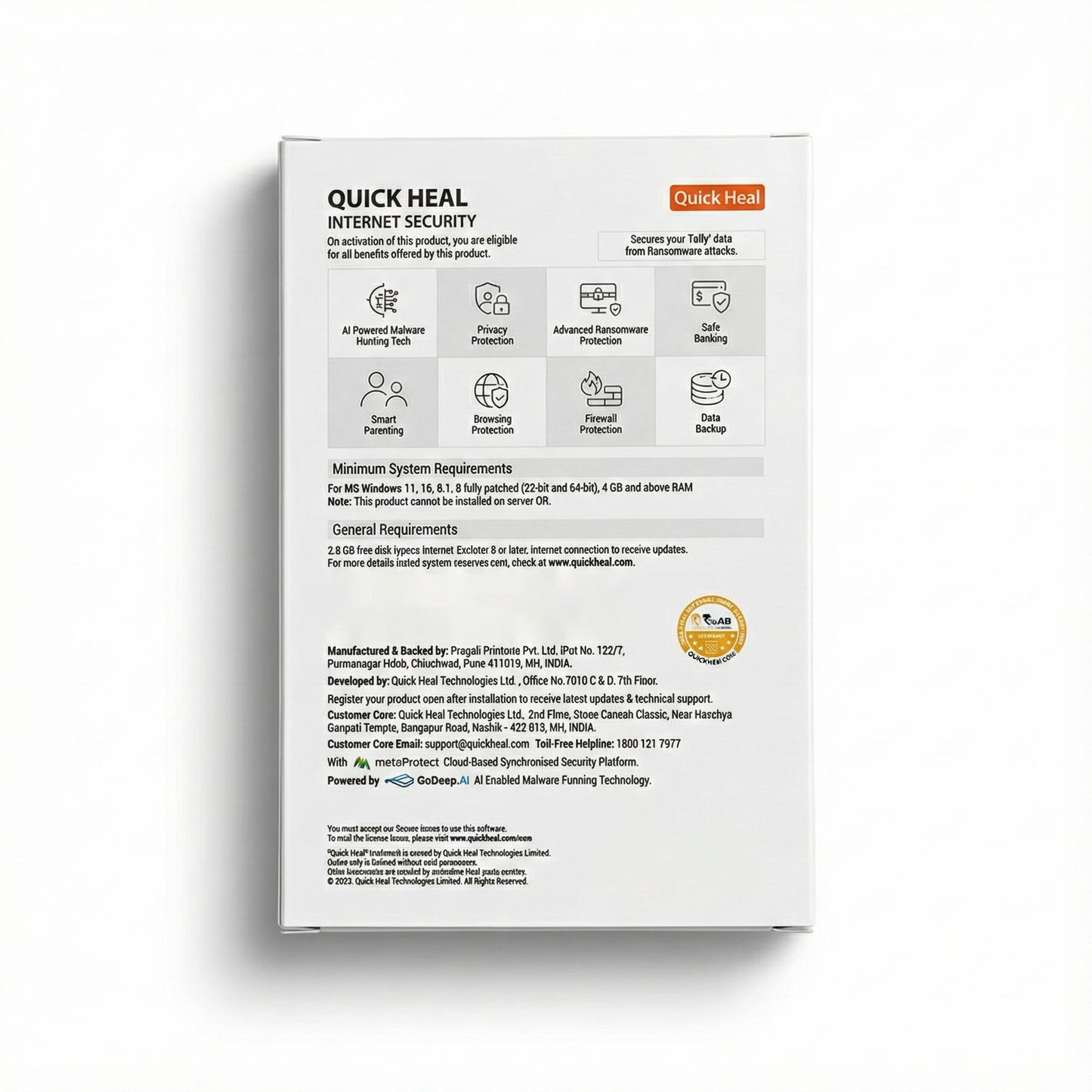
- SIA: Security Intelligent Assistant : Confused by endless alerts and notifications? -SIA lets you chat in simple language to understand updates, alerts, and actions, making security easy.
- metaProtect : Tired of juggling protection across devices -metaProtect syncs and updates security for all your devices with one login, adapting as threats evolve.
- Dark Web Monitoring 2.0 : Worried your personal data is being sold online? - We scan the dark web 24/7 for leaks such as Aadhaar, PAN card, or Phone number details and alert you instantly.
- AntiFraud.AI Capabilities : Falling prey to fake apps, fake links, scam calls, or hidden frauds? - AntiFraud.AI detects complex, emerging fraud scam tactics in real-time to keep you safe.
- Spy Alert : Think someone’s spying on you? - Spy Alert detects suspicious behavior and alerts you instantly to safeguard your privacy.
- Security Score Insights : Not sure how secure you really are online? -Security Score shows you a clear snapshot of your protection level in real time.
- Parental Control : Concerned about your child’s online safety? - Our smart tools help you monitor, manage, and guide their digital journey with confidence.
- Safe Banking : Worried about losing money while shopping or banking online? - Safe Banking creates a secure environment for all transactions, keeping your data private.
- Data Backup : fraid of losing important files? -Data Backup safely stores and secures your data so you always have copies ready.
- Advanced Anti-Ransomware : Scared of ransomware locking your files? - Our advanced AI powered protection detects and blocks ransomware instantly before it can encrypt your data.
- Phishing and email protection : Getting too many scam or fake emails? - We filter out phishing and malicious emails, stopping scams, identity theft, and malware at the inbox.
- Scam link protection : Accidentally clicked on a suspicious link?-Scam Link Protection blocks dangerous sites on the spot, keeping you ahead of online scammers.
Q1: How can I register/activate Quick Heal antivirus?
You can register/activate Quick Heal antivirus online, offline, and through SMS as per your convenience.
Registering online
If you are connected to the Internet, you can register your product online.
1. Open Quick Heal antivirus.
2. On the Quick Heal Dashboard, click the Register Now button.
3.On the Registration Wizard, enter the 20-digit Product Key and click Next.
The Registration Information appears.
4.Enter relevant information in the Purchased From and Register for text boxes, and then click Next.
5.Provide your Name, Email Address, and Contact Number. Select your Country, State, and City.
If your State/Province and City are not available in the list, you can type your locations in the respective boxes.
6.Click Next to continue.
A confirmation screen appears with the details you entered.
If any modifications are needed, click Back to go to the previous screen and make the required changes.
7.Click Next to continue.
Your product is activated successfully. The expiry date of your license is displayed.
8.Click Finish to close the Registration Wizard.
After the registration process completes, you are prompted to create an account with Quick Heal RDM that allows you to manage your device remotely. To know about how to create an account with Quick Heal RDM, see Remotely Manage Quick Heal in the user manual.
Registering offline
You can register Quick Heal antivirus offline if your computer is not connected to the Internet. Before registering offline, make sure you have product key, installation number, and activation license key ready with you.
Q2: Where do I find my product license key?
To retrieve your lost product key, visit www.quickheal.co.in/lost and fill the required information. Alternatively, you may write to support@quickheal.com with the purchase details. We will respond as soon as possible.
Q3: How do I download and install Quick Heal antivirus?
You can download and install Quick Heal antivirus using either the Quick Heal installer or a Quick Heal CD.
To download and install the latest Quick Heal antivirus using the Quick Heal Installer, please follow these steps:
- Visit the following link https://www.quickheal.co.in/installer
- Enter the product key if available or select the product from product list and click Download. The installer file is downloaded to your device.
- Double-click the downloaded setup file to start the installation and then follow the on-screen instructions.
See Also: Downloading and installing Quick Heal.
Q4: I have lost my Product Key of Quick Heal antivirus. How can I get it?
To retrieve your lost Product key, visit the link: www.quickheal.co.in/lost and provide your necessary information.
Alternatively, write to us at support@quickheal.com, providing your purchase details, and we will respond to your request promptly.
Digital products are not eligibal for return. Reach out to support@lalajisales for any kind of issues.
Description
Total Security Antivirus - Where Digital Safety Meets Personal Privacy
With Capabilities
Powered by
- SIA: Security Intelligent Assistant : Confused by endless alerts and notifications? -SIA lets you chat in simple language to understand updates, alerts, and actions, making security easy.
- metaProtect : Tired of juggling protection across devices -metaProtect syncs and updates security for all your devices with one login, adapting as threats evolve.
- Dark Web Monitoring 2.0 : Worried your personal data is being sold online? - We scan the dark web 24/7 for leaks such as Aadhaar, PAN card, or Phone number details and alert you instantly.
- AntiFraud.AI Capabilities : Falling prey to fake apps, fake links, scam calls, or hidden frauds? - AntiFraud.AI detects complex, emerging fraud scam tactics in real-time to keep you safe.
- Spy Alert : Think someone’s spying on you? - Spy Alert detects suspicious behavior and alerts you instantly to safeguard your privacy.
- Security Score Insights : Not sure how secure you really are online? -Security Score shows you a clear snapshot of your protection level in real time.
- Parental Control : Concerned about your child’s online safety? - Our smart tools help you monitor, manage, and guide their digital journey with confidence.
- Safe Banking : Worried about losing money while shopping or banking online? - Safe Banking creates a secure environment for all transactions, keeping your data private.
- Data Backup : fraid of losing important files? -Data Backup safely stores and secures your data so you always have copies ready.
- Advanced Anti-Ransomware : Scared of ransomware locking your files? - Our advanced AI powered protection detects and blocks ransomware instantly before it can encrypt your data.
- Phishing and email protection : Getting too many scam or fake emails? - We filter out phishing and malicious emails, stopping scams, identity theft, and malware at the inbox.
- Scam link protection : Accidentally clicked on a suspicious link?-Scam Link Protection blocks dangerous sites on the spot, keeping you ahead of online scammers.
FAQ
Q1: How can I register/activate Quick Heal antivirus?
You can register/activate Quick Heal antivirus online, offline, and through SMS as per your convenience.
Registering online
If you are connected to the Internet, you can register your product online.
1. Open Quick Heal antivirus.
2. On the Quick Heal Dashboard, click the Register Now button.
3.On the Registration Wizard, enter the 20-digit Product Key and click Next.
The Registration Information appears.
4.Enter relevant information in the Purchased From and Register for text boxes, and then click Next.
5.Provide your Name, Email Address, and Contact Number. Select your Country, State, and City.
If your State/Province and City are not available in the list, you can type your locations in the respective boxes.
6.Click Next to continue.
A confirmation screen appears with the details you entered.
If any modifications are needed, click Back to go to the previous screen and make the required changes.
7.Click Next to continue.
Your product is activated successfully. The expiry date of your license is displayed.
8.Click Finish to close the Registration Wizard.
After the registration process completes, you are prompted to create an account with Quick Heal RDM that allows you to manage your device remotely. To know about how to create an account with Quick Heal RDM, see Remotely Manage Quick Heal in the user manual.
Registering offline
You can register Quick Heal antivirus offline if your computer is not connected to the Internet. Before registering offline, make sure you have product key, installation number, and activation license key ready with you.
Q2: Where do I find my product license key?
To retrieve your lost product key, visit www.quickheal.co.in/lost and fill the required information. Alternatively, you may write to support@quickheal.com with the purchase details. We will respond as soon as possible.
Q3: How do I download and install Quick Heal antivirus?
You can download and install Quick Heal antivirus using either the Quick Heal installer or a Quick Heal CD.
To download and install the latest Quick Heal antivirus using the Quick Heal Installer, please follow these steps:
- Visit the following link https://www.quickheal.co.in/installer
- Enter the product key if available or select the product from product list and click Download. The installer file is downloaded to your device.
- Double-click the downloaded setup file to start the installation and then follow the on-screen instructions.
See Also: Downloading and installing Quick Heal.
Q4: I have lost my Product Key of Quick Heal antivirus. How can I get it?
To retrieve your lost Product key, visit the link: www.quickheal.co.in/lost and provide your necessary information.
Alternatively, write to us at support@quickheal.com, providing your purchase details, and we will respond to your request promptly.
Returns
Digital products are not eligibal for return. Reach out to support@lalajisales for any kind of issues.